Contents +
User Guide
Introduction (what AIOHub is)Admin
Admin login and the 6-digit code (Google Authenticator)Advanced homeStored documents and visibilityAccounts (issuing and suspending employees)AIOHub AIPublic content (subjects, chapters, articles, FAQs)Public page (share with one URL)AI desk (inquiries, conversation history, page settings)Activity (public-content gaps, edit history, effects)SettingsTrashWhen something goes wrongTrash
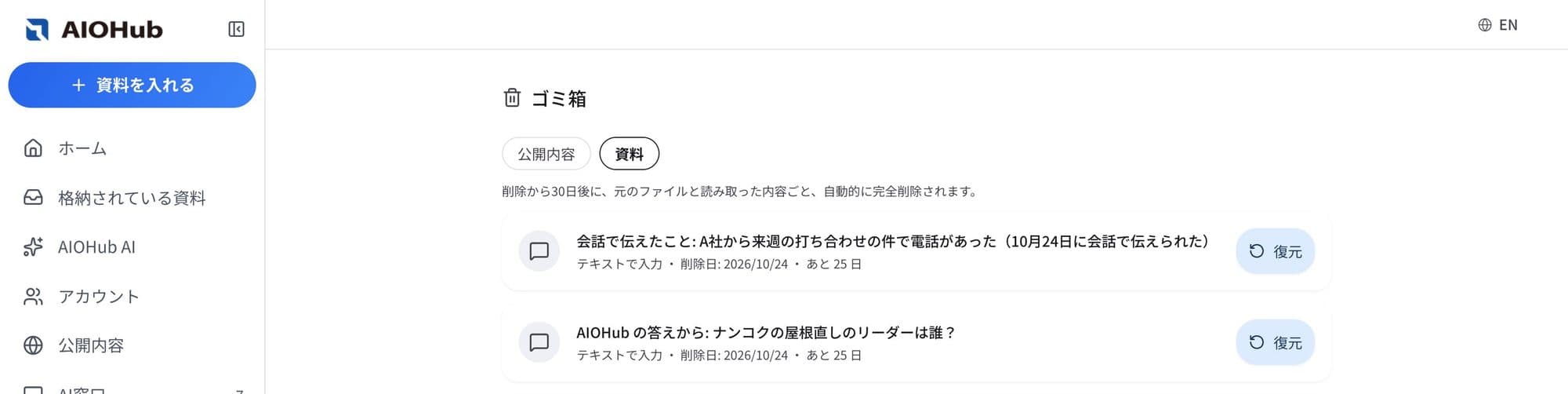
Deleted public content and documents stay in Trash for 30 days.
Steps
- 1
Switch between "Public content" and "Documents".
- 2
Public content
"Restore" returns it to its chapter. "Delete permanently" removes it now.
- 3
Documents
"Restore" brings back the original file and read content (owners and admins). Days remaining are shown. There is no immediate permanent delete for documents; they go after 30 days.
- 4
An attachment that was deleted together with its exchange or situation shows "Restored together with the first message" instead of "Restore". Restore the first message and its follow-ups and attachments come back with it.
Screens