Contents +
User Guide
Introduction (what AIOHub is)Admin
Admin login and the 6-digit code (Google Authenticator)Advanced homeStored documents and visibilityAccounts (issuing and suspending employees)AIOHub AIPublic content (subjects, chapters, articles, FAQs)Public page (share with one URL)AI desk (inquiries, conversation history, page settings)Activity (public-content gaps, edit history, effects)SettingsTrashWhen something goes wrongAI desk (inquiries, conversation history, page settings)
The AI desk is the company's own AI attached to the public page. It answers visitors 24 hours a day from published information only, and offers an inquiry path when it can't. Conversations are recorded and readable in the admin screen.
Steps
- 1
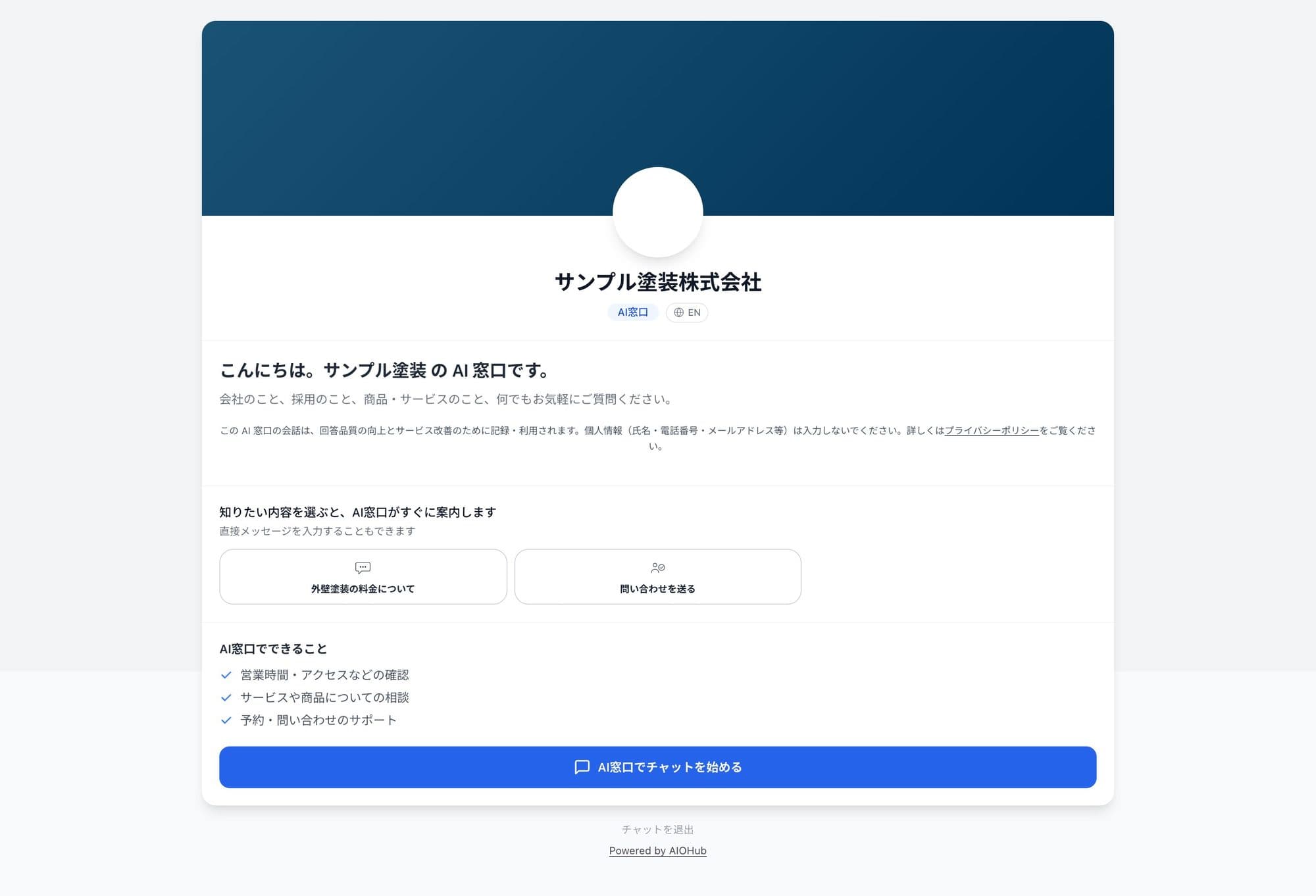
Visitor view (https://aiohub.jp/o/<company short name>/ai): company name and greeting, starter cards (common questions) and "Send an inquiry". Visitor questions are answered from public content. When it can't, or the visitor wants a person, it takes name and email into "Inquiries".
- 2
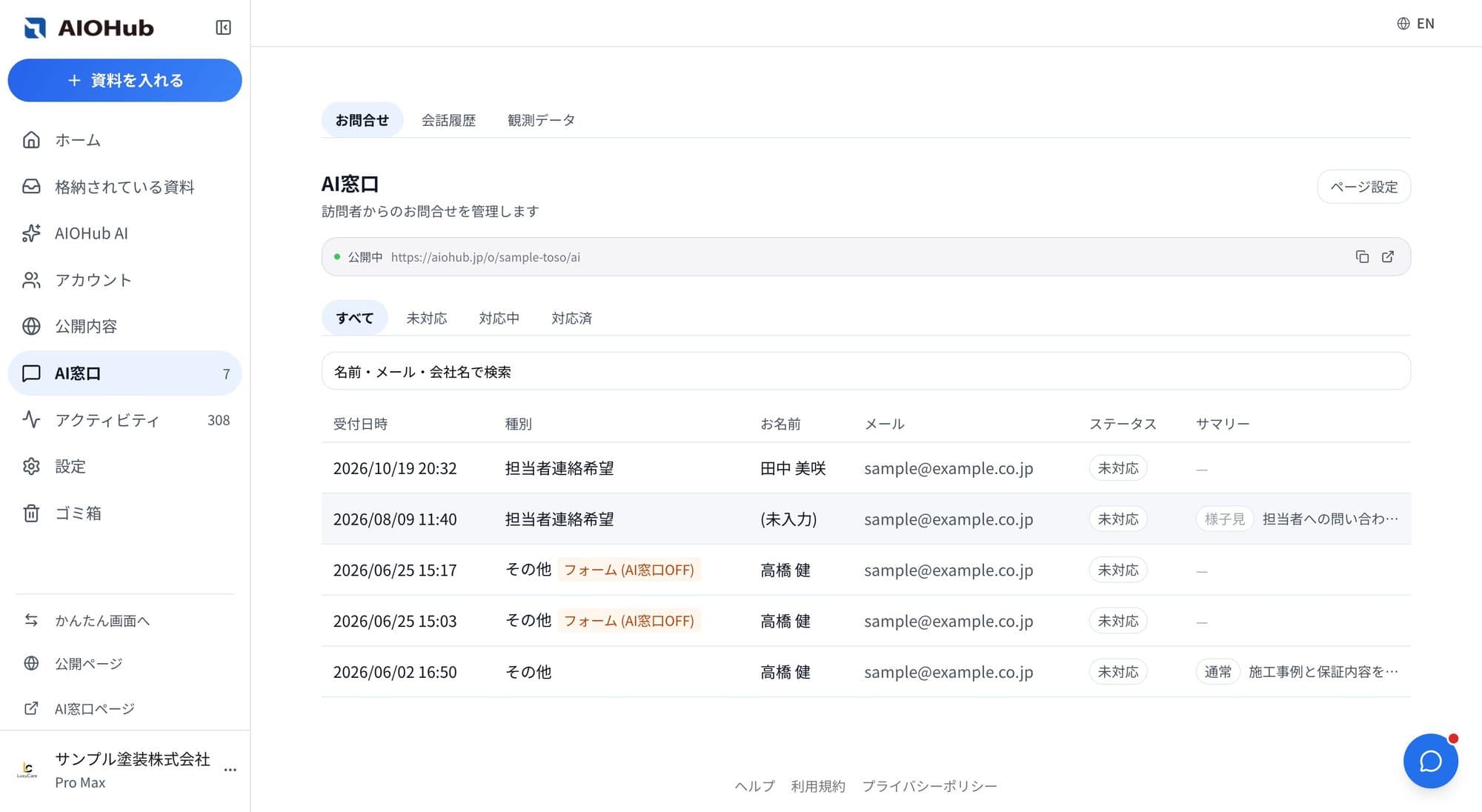
"Inquiries" (AI desk in the left list): received date, type (contact request, recruiting, other…), name, email, status, AI summary. Filter All / Open / In progress / Done and search by name, email or company.
- 3
Open one
contact details, the conversation (visitor and AI desk), AI summary (main request, temperature, concerns, unanswered points, next action; "Regenerate" available) and internal memo. Move status Open → In progress → Done to share progress. Contact the visitor directly by email etc.
- 4
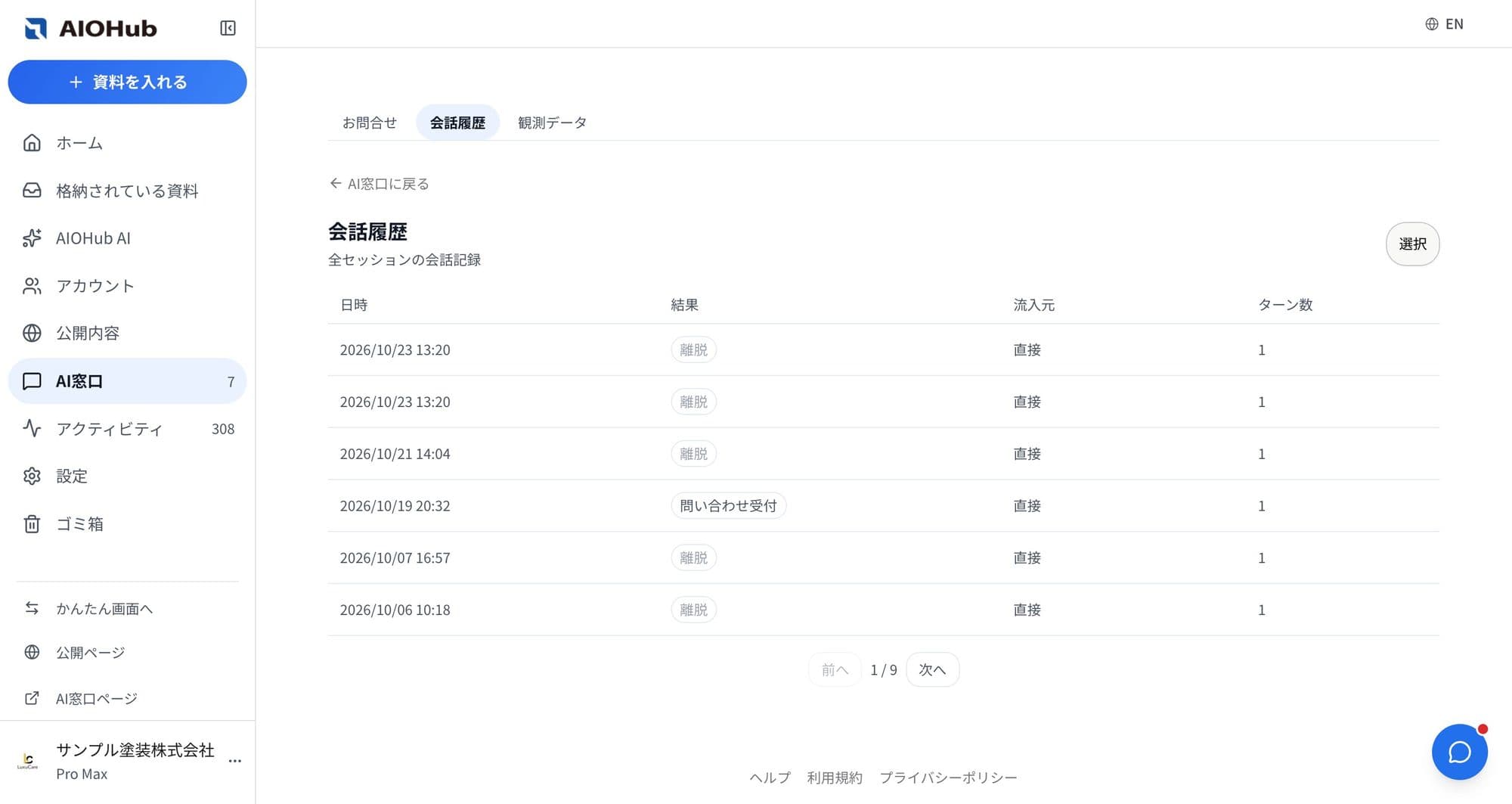
"Conversation history"
every AI-desk session, including those that didn't become inquiries: date, result (left / inquiry received), source, turns. Open to read the conversation. See what's being asked and where visitors leave, as hints for new FAQs.
- 5
"Observations"
last 30 days of sessions, inquiries, resolved, gaps detected, errors, and an event log.
- 6
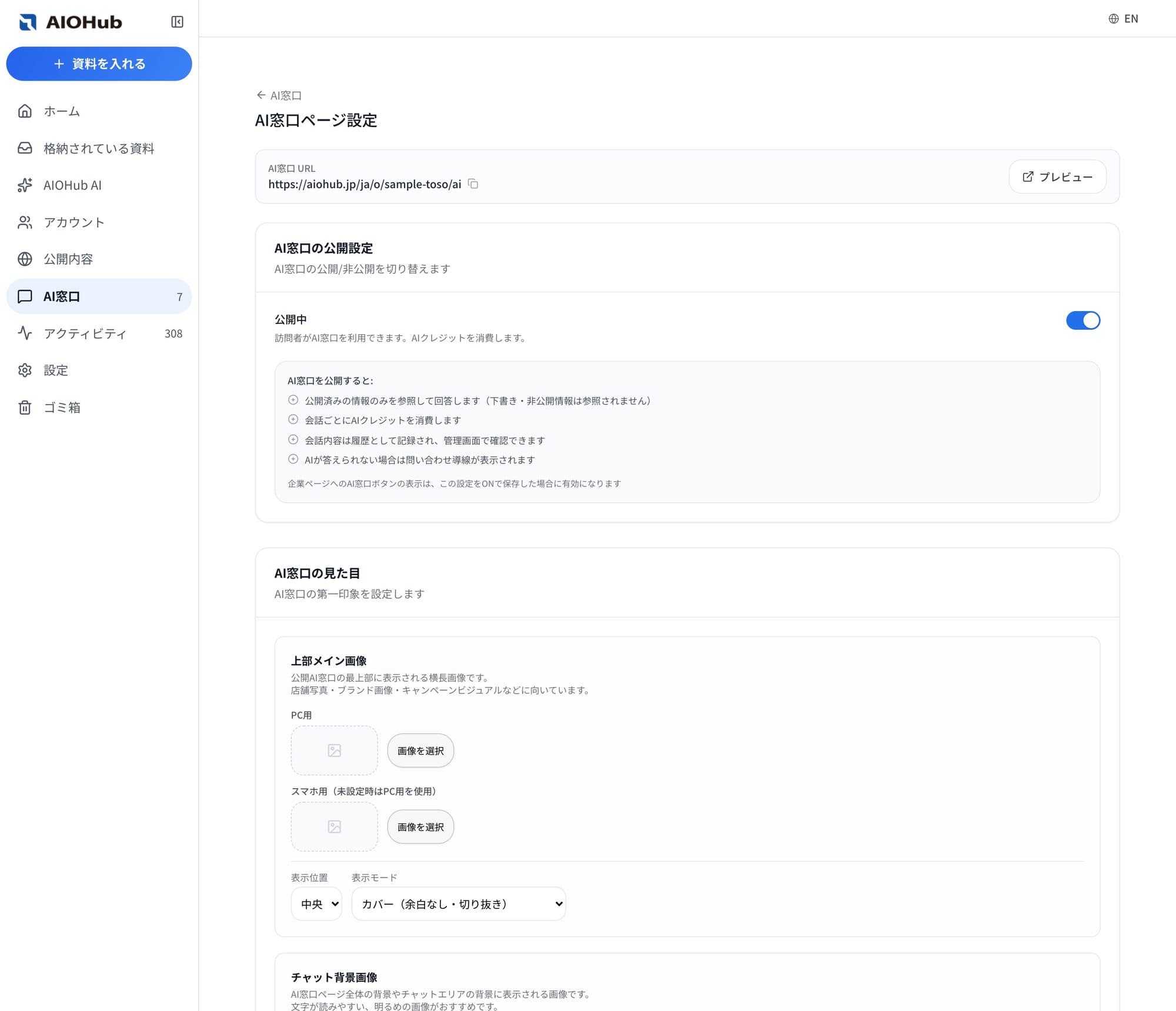
"Page settings" → Publishing: toggle "Public". While public, visitors can use the AI desk and each conversation consumes AI credits. Turning it off also removes "Ask AI" from the public page.
- 7
"Page settings" → Appearance: top main image (store or brand photo; PC and phone versions), chat background image, AI icon (logo if unset). Position and display mode (cover / fit), with PC and phone previews on the right.
- 8
"Page settings" → Messages and paths: AI desk introduction (200 chars), supplementary message (100 chars), exit button label and URL (website, booking page, LINE…), starter cards (up to 6 keywords visitors can press first), notices shown before chat starts. Press "Save".
Notes
- The AI desk answers only from published information. Drafts, unpublished content and internal documents are not referenced. To improve accuracy, add FAQs and articles.
- Visitors are warned not to enter personal information (name, phone, email) in the conversation. Conversations are recorded for quality and service improvement.
- Questions the AI desk often couldn't answer arrive in Public content as "Actually asked" proposals in the relevant chapter.
Screens