Contents +
User Guide
Introduction (what AIOHub is)Admin
Admin login and the 6-digit code (Google Authenticator)Advanced homeStored documents and visibilityAccounts (issuing and suspending employees)AIOHub AIPublic content (subjects, chapters, articles, FAQs)Public page (share with one URL)AI desk (inquiries, conversation history, page settings)Activity (public-content gaps, edit history, effects)SettingsTrashWhen something goes wrongPublic page (share with one URL)
Published content gathers on the company's public page. One URL to hand to partners and customers, readable by search engines and AI as structured data.
Steps
- 1
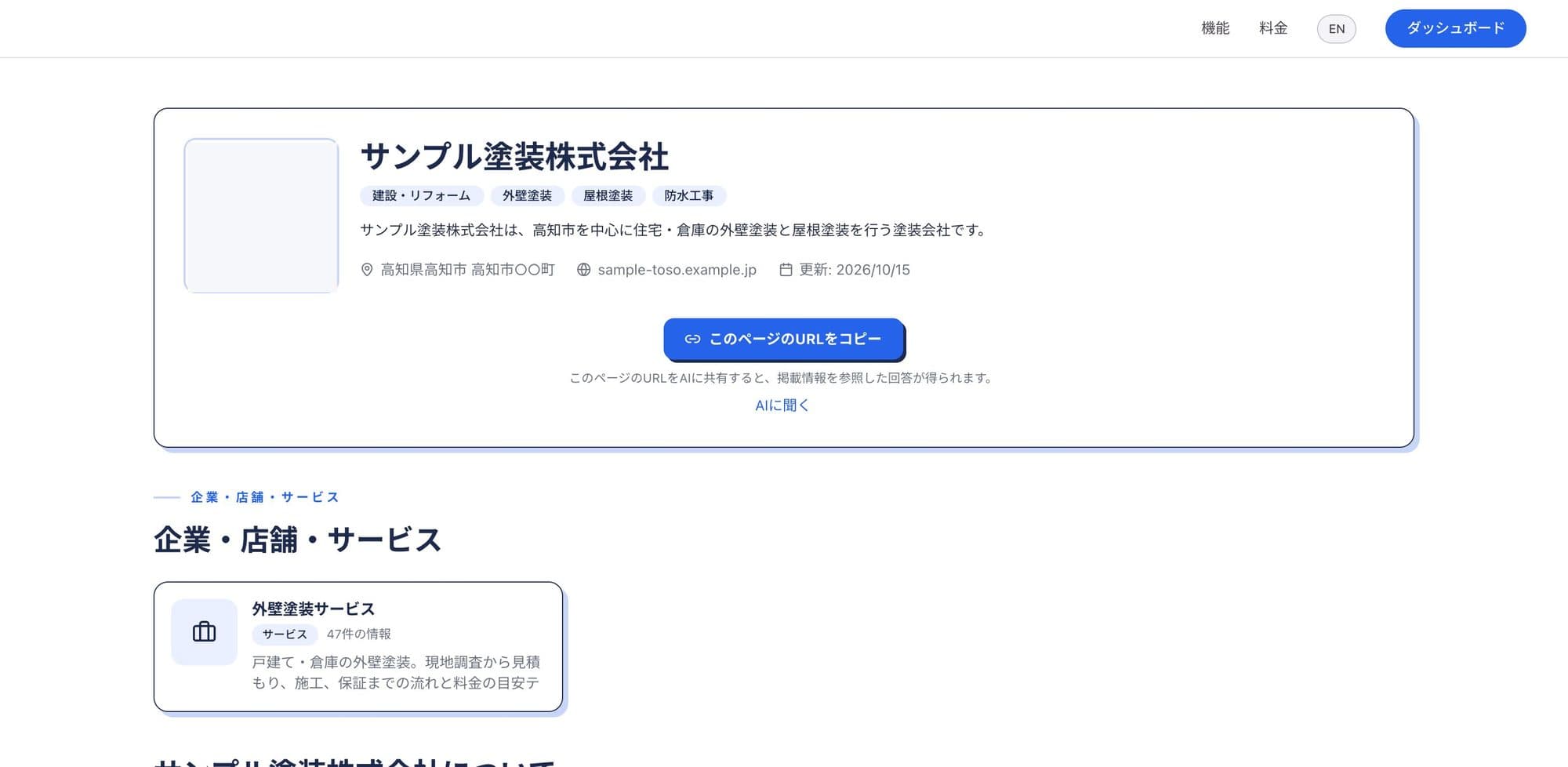
The URL is https://aiohub.jp/o/<company short name>. Open it from "Public page" at the bottom of the left list or the round button on Home. Visible without login.
- 2
At the top
company name, industry, description, address, website, last update. "Copy this page's URL" copies it for email or LINE. Visitors pressing "Ask AI" go to the company's AI desk.
- 3
Below
"Companies, stores & services" (one card per subject with counts), then each subject's chapters with articles and FAQs. Empty chapters are hidden. Order follows chapters, not publish date.
- 4
Only text published in Public content appears. Drafts, unpublished items and internal documents don't. "Back to draft" removes it from the page.
- 5
Behind the page, structured data for search engines and AI (JSON-LD for company, FAQ, articles) and an AI-friendly text version (llms.txt) are added automatically. The more public content, the more likely AI search cites the company.
- 6
Basic information (name, description, address, website) is edited under Settings → company card at the top.
Screens