Contents +
User Guide
Introduction (what AIOHub is)Admin
Admin login and the 6-digit code (Google Authenticator)Advanced homeStored documents and visibilityAccounts (issuing and suspending employees)AIOHub AIPublic content (subjects, chapters, articles, FAQs)Public page (share with one URL)AI desk (inquiries, conversation history, page settings)Activity (public-content gaps, edit history, effects)SettingsTrashWhen something goes wrongAdvanced home
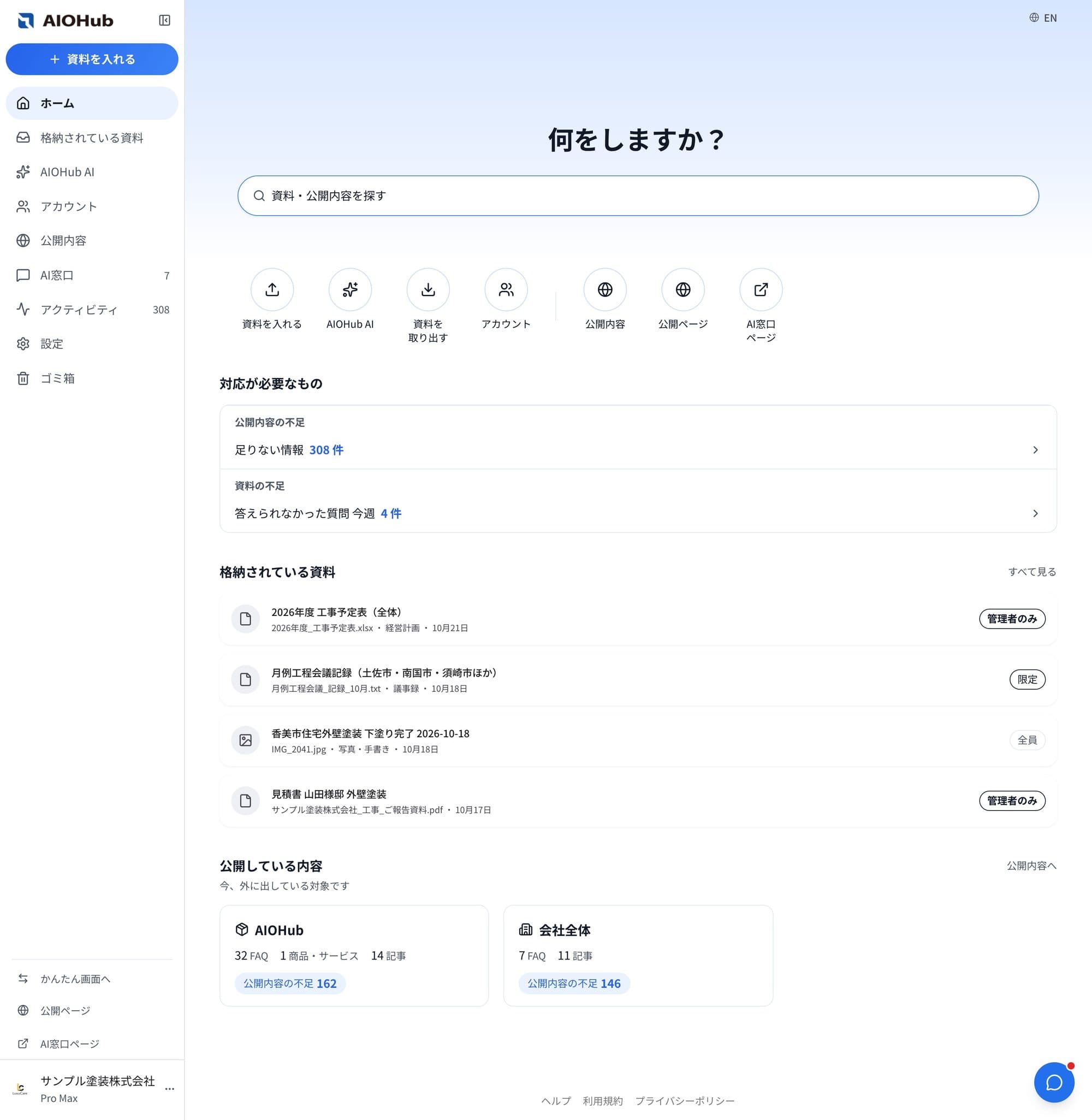
The left list (Home, Stored documents, AIOHub AI, Accounts, Public content, AI desk, Activity, Settings, Trash) and the round buttons at the top take you where you need.
Steps
- 1
The search box at the top searches documents and public content by title and content.
- 2
The round buttons are split into internal (Put in documents, AIOHub AI, Export documents, Accounts) and outward (Public content, Public page, AI desk page).
- 3
"Needs attention"
counts of public-content gaps (missing information AI found) and document gaps (unanswered questions, unreadable documents, things told in conversation). Press to open that screen or a side panel. Rows with 0 are hidden.
- 4
"Stored documents"
the newest 4. "See all" opens the list.
- 5
"What's published"
subjects currently public (company, products…), their FAQ and article counts, and gaps.
- 6
"To simple screen" at the bottom left returns anytime. "Public page" and "AI desk page" open the real outward pages in a new tab.
- 7
The bubble at the bottom right is "Contact support": for bugs and contract matters, it reaches the operations team (usage questions go to AIOHub AI).
Screens