Contents +
User Guide
Introduction (what AIOHub is)Admin
Admin login and the 6-digit code (Google Authenticator)Advanced homeStored documents and visibilityAccounts (issuing and suspending employees)AIOHub AIPublic content (subjects, chapters, articles, FAQs)Public page (share with one URL)AI desk (inquiries, conversation history, page settings)Activity (public-content gaps, edit history, effects)SettingsTrashWhen something goes wrongAIOHub AI
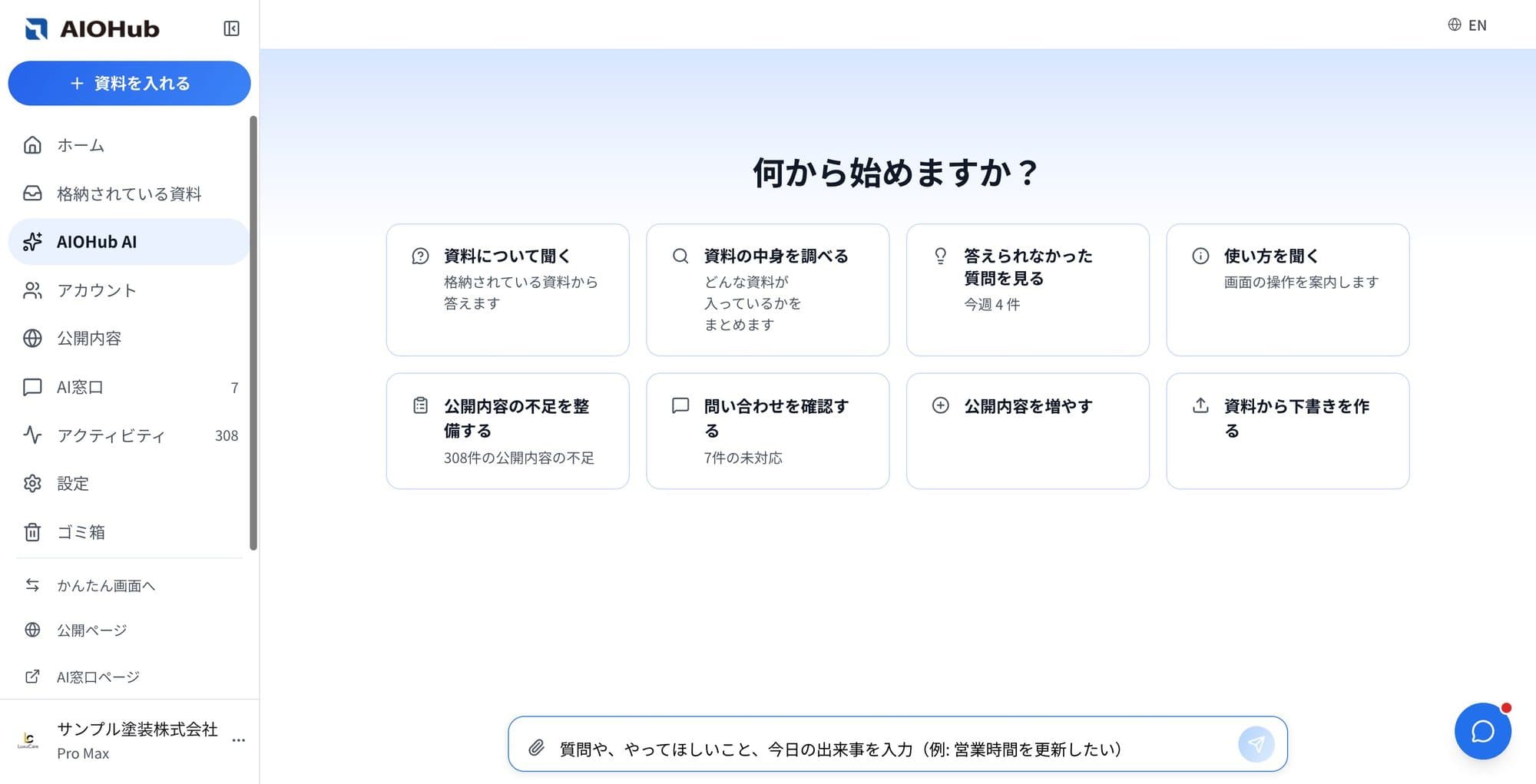
AIOHub AI in Advanced answers from internal documents with sources and drafts public content. Start from a card on the first screen or type below.
Steps
- 1
"Ask about documents"
like the simple screen's Ask, with sources (document name, text used) under the answer.
- 2
"Explore documents"
summarizes what's stored (newest first).
- 3
"See unanswered questions": this week's questions from "Ask" that couldn't be answered (owners and admins; who asked is not recorded). Hints for what to add.
- 4
"Ask how to use"
explains screen operations. Ask "Where is …?" and it shows a button to that screen.
- 5
"Fill public-content gaps", "Add public content", "Draft from documents": drafts outward text from internal documents. Drafts go to Public content and are published only when a person edits and presses "Publish". AI never publishes by itself.
- 6
"Check inquiries"
shows the number of open AI-desk inquiries and opens that screen.
- 7
Say "… has changed" in conversation and it confirms before keeping it in company memory (same as the simple screen's Ask).
- 8
Ask with a document open: press "Ask AIOHub AI" in a stored document to start with it open on the right; its lines are prioritized.
Notes
- Answers that used documents are not kept in the conversation log (so internal documents don't leak into public-content drafts). To keep an answer, make it a draft on the spot or use "Keep as document" on the simple screen.
Screens