Contents +
User Guide
Introduction (what AIOHub is)Admin
Admin login and the 6-digit code (Google Authenticator)Advanced homeStored documents and visibilityAccounts (issuing and suspending employees)AIOHub AIPublic content (subjects, chapters, articles, FAQs)Public page (share with one URL)AI desk (inquiries, conversation history, page settings)Activity (public-content gaps, edit history, effects)SettingsTrashWhen something goes wrongHome
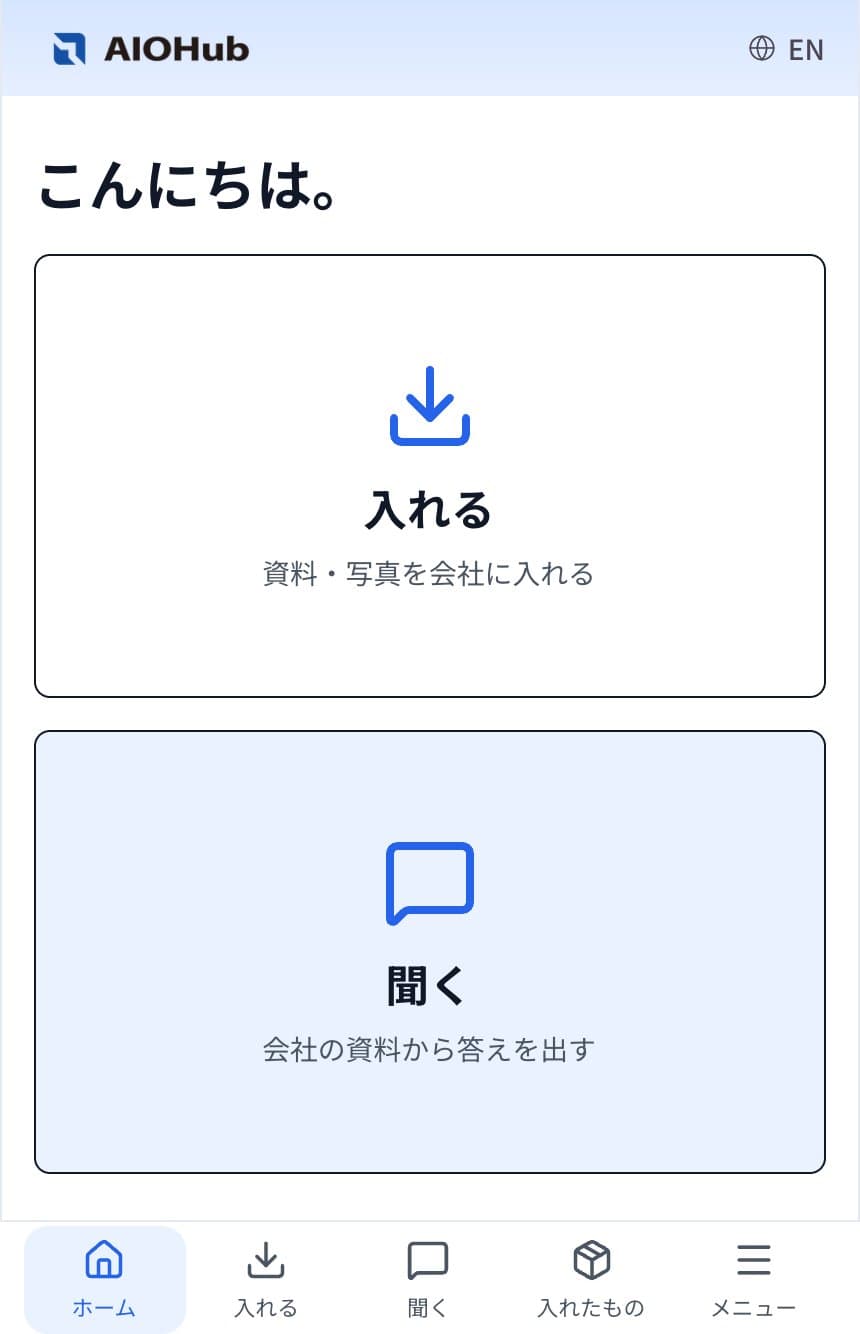
The simple screen's home has just two things: Put in and Ask. The bottom bar switches between Home, Put in, Ask, What I put in, and Menu.
Steps
- 1
"Put in" opens the screen for putting documents and photos into the company.
- 2
"Ask" opens the screen that answers from company documents.
- 3
"EN" at the top right switches to English.
- 4
Add it to your phone's home screen to use it like an app (iPhone: Share → "Add to Home Screen"; Android: browser menu → "Add to Home screen").
Screens