
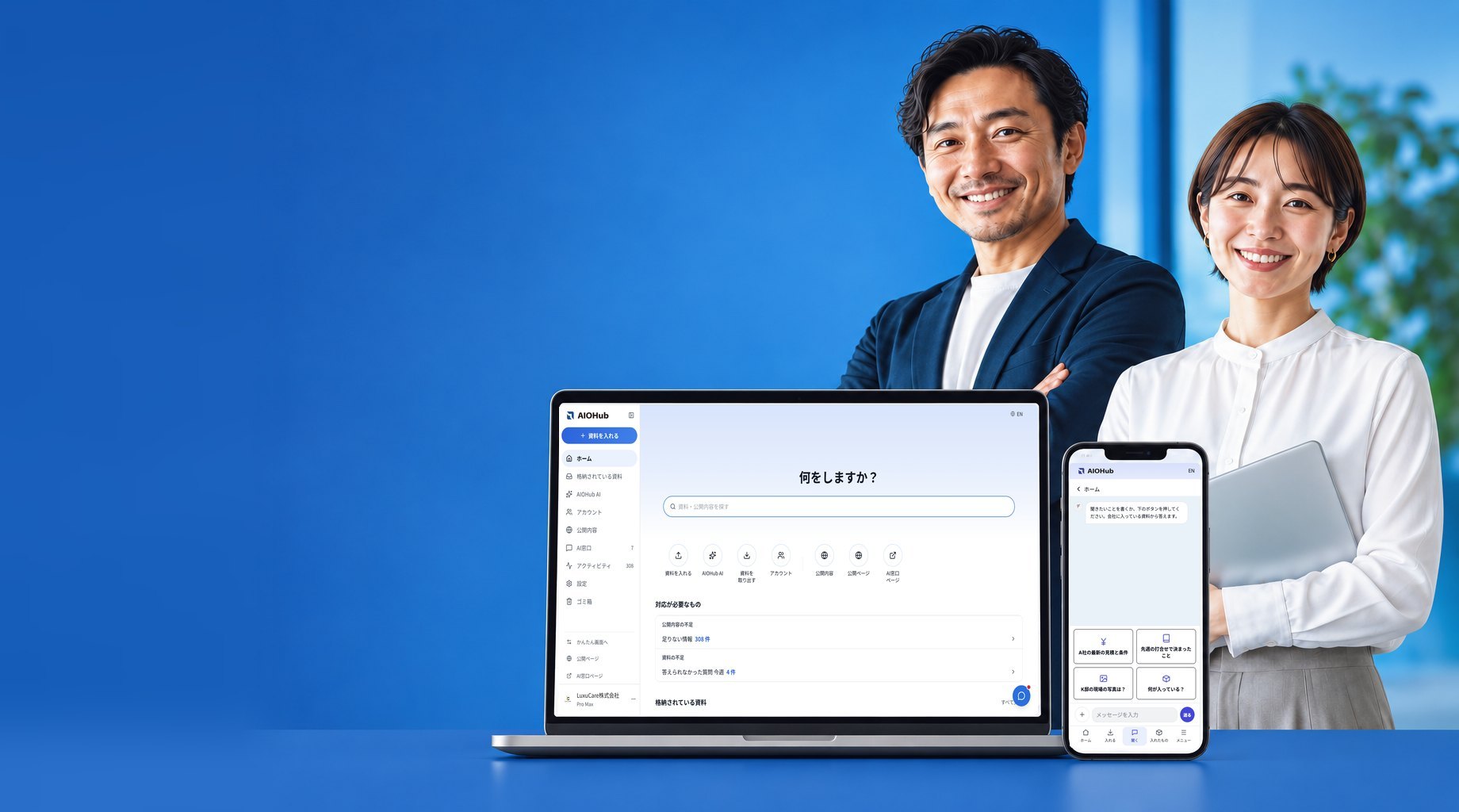

Documents are scattered and the history is invisible.
The reason behind a decision is in one person's head.
The result is there, but not the background.
Keep the reasons and results too, and your company's experience becomes a guide for decisions. No sorting needed—put it in, and you can ask.
Pick a file, take a photo, or type a note. Ask what you want to know, and get an answer drawn from the documents you've stored.
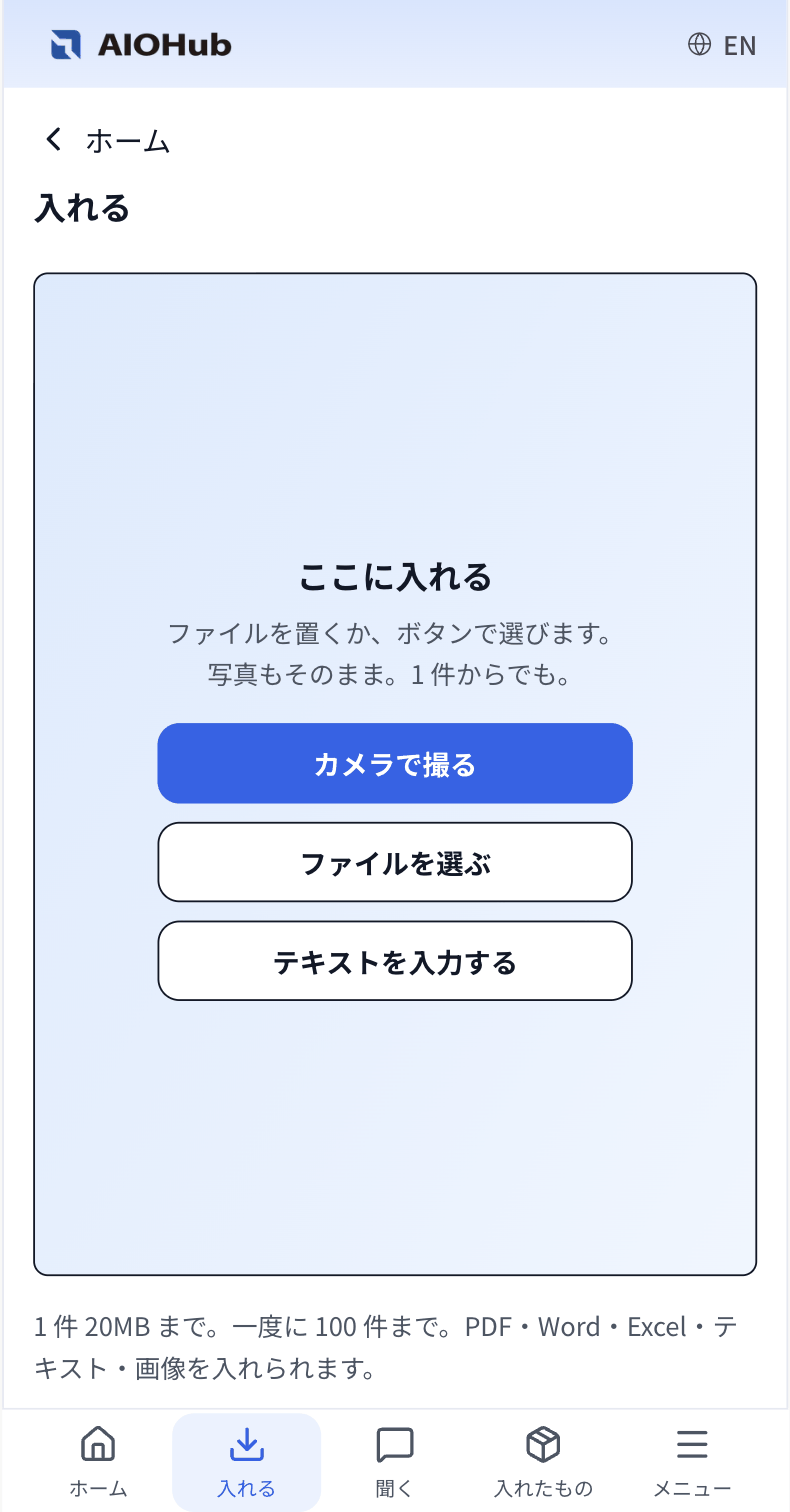
Register documents as they are.
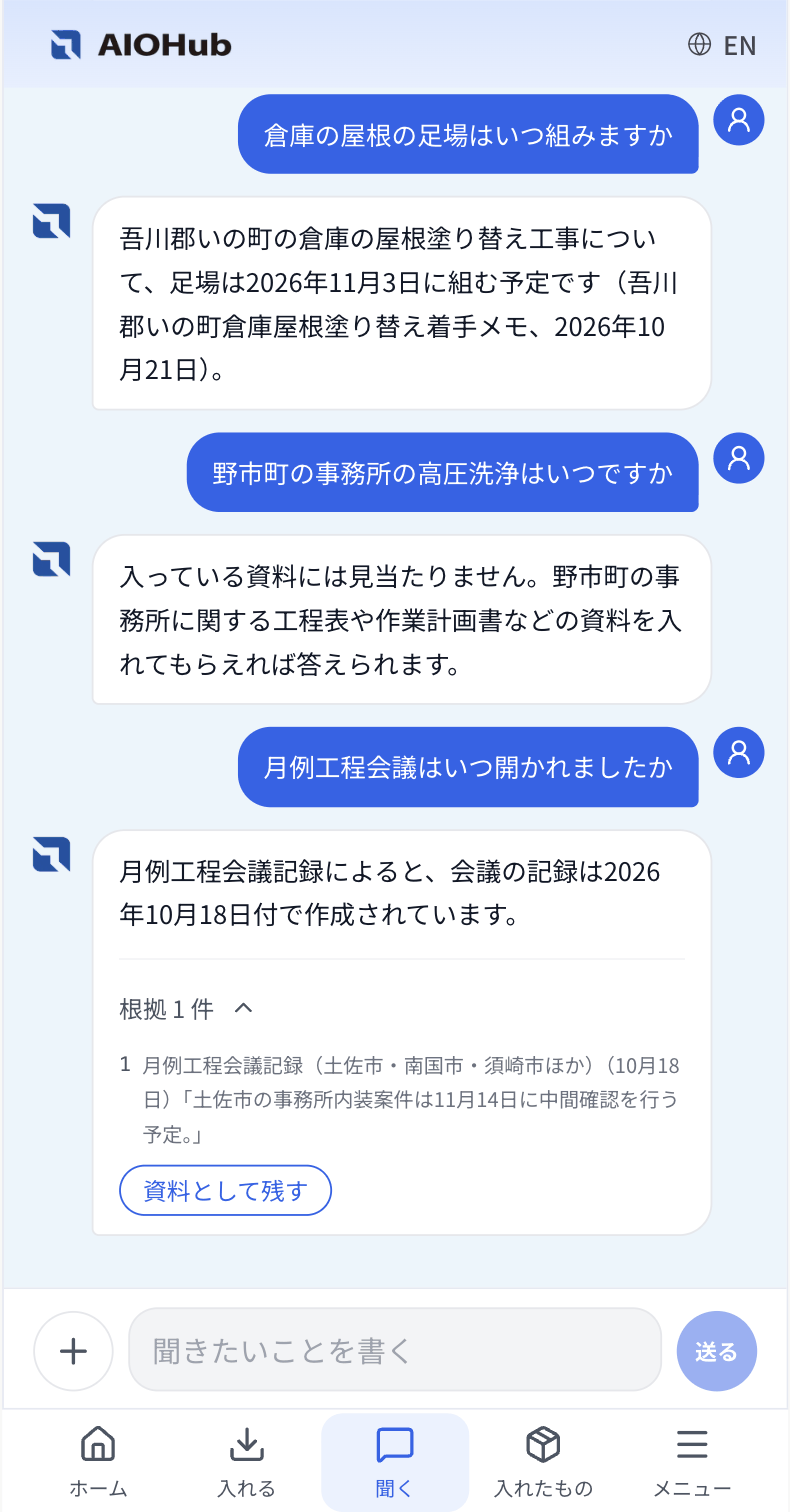
See the answer and its source.
* Screens are real. Answers and amounts are examples.
With documents alone, you can check what happened. Add the reasons, conditions and results, and you can compare them with today's job and have more to decide with.

* Amounts and details are hypothetical. Reasons and results that were never recorded can't be looked up.
Start with one job you do often. Keep recording and using it, a little at a time, as part of the daily flow.

Work reports and handovers
Ask: What were last time's conditions?Spec changes and proofing notes
Ask: What was last time's spec?End-of-day notes
Ask: What should we watch for tomorrow?What is worth keeping. A sharper eye for your own work.
Context and the big picture become visible, guiding the next decision.
Data and the habit of accumulating it become the foundation for using AI.
Jobs and questions are examples. Choose what fits your actual frequency and pain points. Results vary with what you keep and how you use it day to day.
Add dedicated buttons to the Ask menu as entry points for questions. No need to compose a question every time.
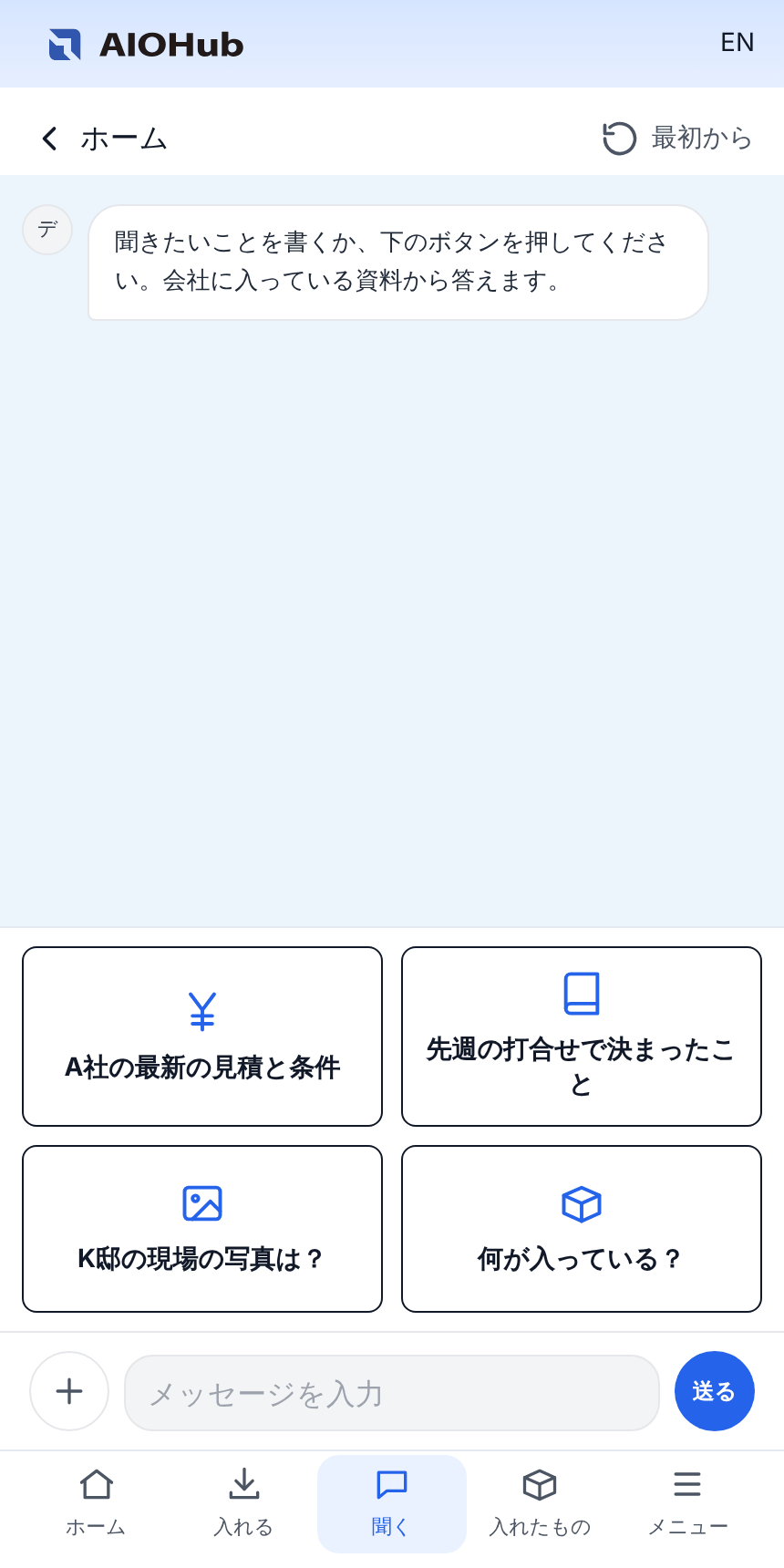
Example: a menu of frequently used questions
Like a LINE rich menu—pick a frequent question and go.
For example: last time's quote conditions, or what was decided in the meeting. Make the frequent checks the entry points.
Register documents by photo, file or text. The question buttons live on the Ask side. Type a question, or tap a button—both work.
Browse everything you've stored, organize it, export it and manage it. Use the simple everyday screen and the admin screen as needed.
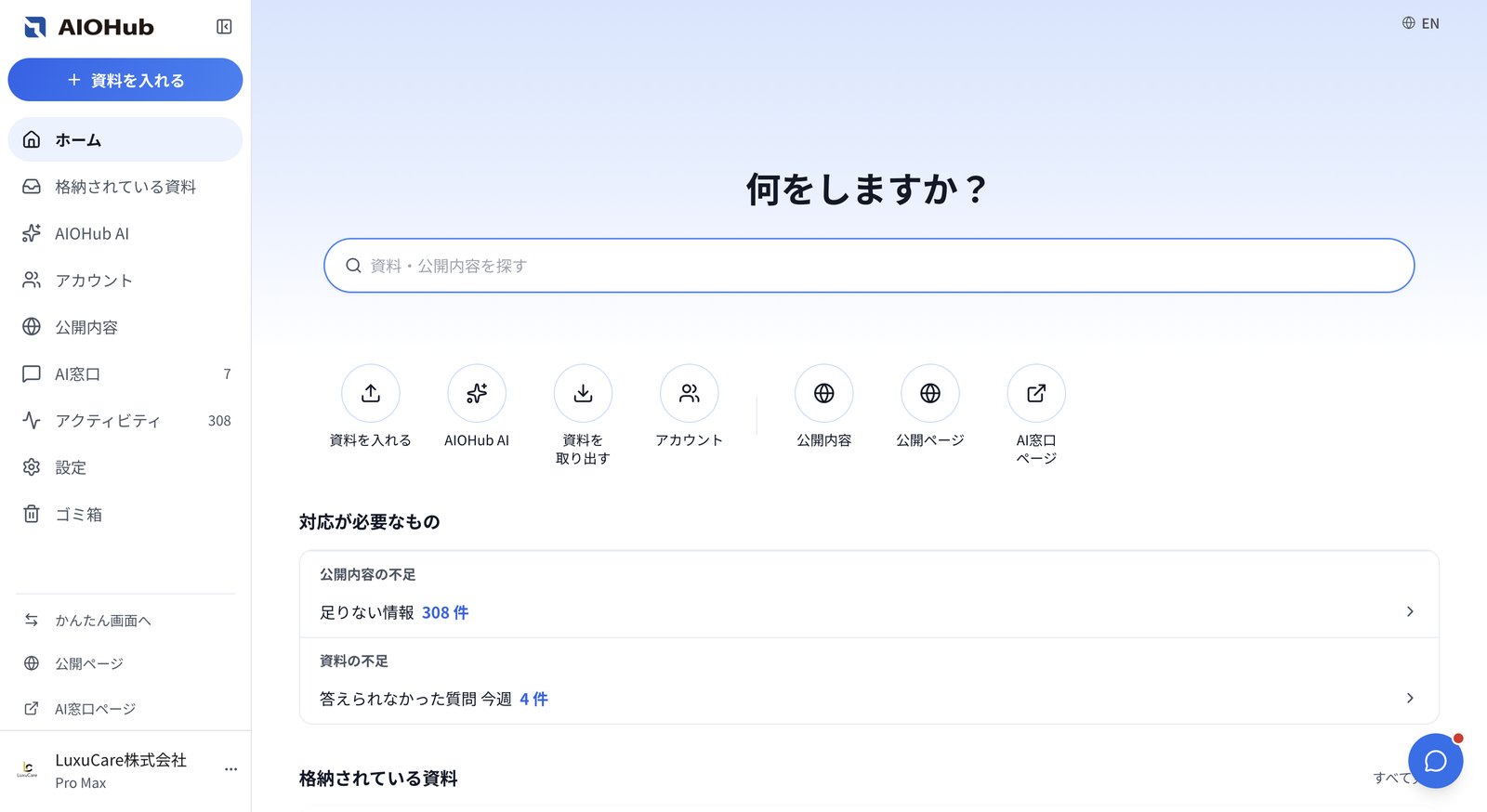
Review stored documents. Export what you need.
Go to public content, the public page and the AI desk.
Manage accounts and settings.
If you're unsure how to operate or what to keep, we can help set up a routine that fits your company.
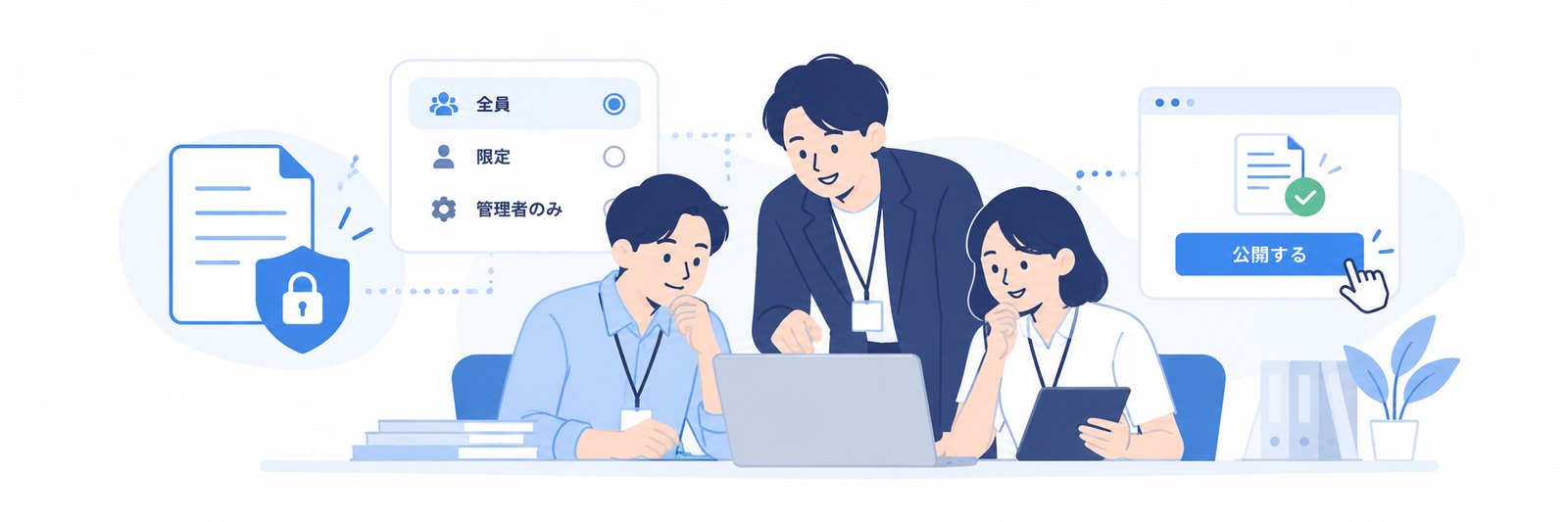
"Everyone", "Limited" or "Admins only". Payroll lists and HR documents start as "Admins only", and answers are built only from documents the asker can see.
A confirmation always appears before publishing. What you say in conversation becomes company memory only when you press "Keep".
Answers come only from stored documents—no invention. ID and card numbers are masked automatically when read.
Originals stay until you delete them. Passkey login is supported, and admins signing in with a password are also verified with an authenticator app.
Before writing a post from scratch each time: the records of day-to-day ingenuity and customer handling can become drafts of what you tell customers.

Pick out ingenuity and strengths
Choose what to publish
Read by people and AI
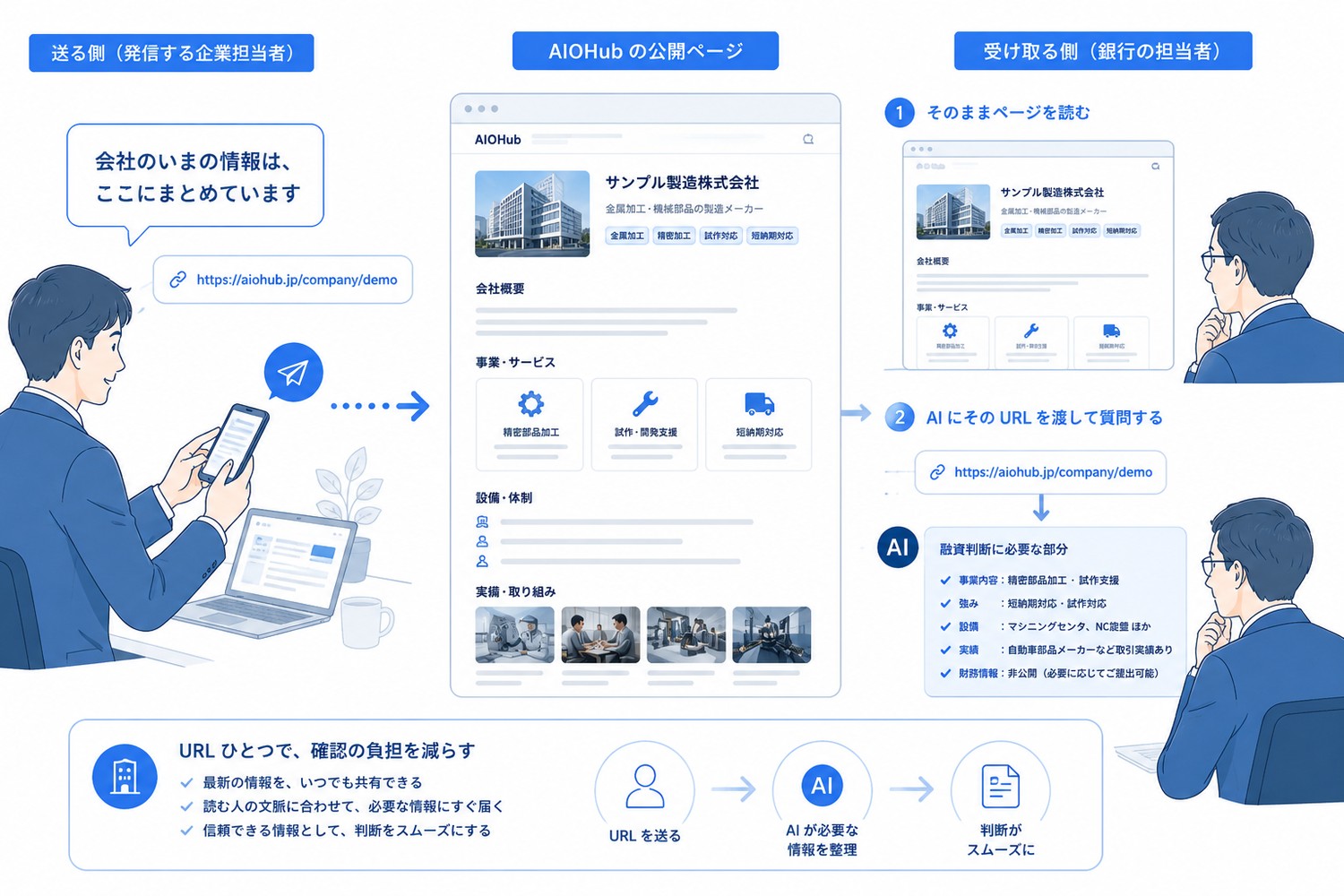
Example: LuxuCare Inc. https://aiohub.jp/en/o/luxucare — company info, services, articles and FAQ in one place, shareable by URL.
Anything you publish becomes both a page people can read and structured data search engines and AI can read. The more pages you have—per product, per service—the more material AI has to describe your company correctly. That is AI-search readiness (AIO).

Internal memory stays internal. Only what you put outside reaches partners, customers and AI.
Before a loan meeting, for example: send one URL with a note—"Our current information is here." The other side can read it, or hand the URL to an AI and ask. So the meeting can start with what's specific to your company.
Answer applicants' worries, even at night
Continue from the QR on a business card
Delegate first-line answers on specs and lead times
Settle pre-visit concerns in advance
Daily records become material for checking, handover and communication.
Use last time's conditions and results to check this time
A colleague's experience becomes the next person's guide
Draft from records, approve, and share outside
Just three steps. No sorting, no explaining, no tagging.
Setup fee 0. The only time it takes is the time to put documents in.
An admin issues login IDs. No extra charge per person.
Minutes, daily reports, quotes, photos. No sorting—just put them in.
Ask internally, and send what may go outside to the public page after checking.
No setup fee. Storing, asking and publishing are available on every plan. What differs is the volume, and the ability to bring companies together.
Free
6 months. Apply, and start once approved. No card required
¥4,980/month
¥5,478 incl. tax · Save 2 months with annual billing (¥49,800/year excl. tax)
¥9,800/month
¥10,780 incl. tax · Save 2 months with annual billing (¥98,000/year excl. tax)
¥19,800/month
¥21,780 incl. tax · Save 2 months with annual billing (¥198,000/year excl. tax)
LuxuCare Inc. (Kochi, Japan), the developer, runs AIOHub as its own information base—company profile, services, pricing philosophy and FAQ are all registered and published. Customer cases will be added as permission is granted.

See how a company's information can be presented.
Whatever your everyday work produces: minutes, daily reports, quotes, manuals, photos, notes. No sorting or categorizing needed.
Each document has a visibility: Everyone, Limited or Admins only. Answers are built only from documents the asker can see.
Answers are built only from stored documents, with the source document and date attached. If it isn't in the documents, it answers "not found".
Only content a person has reviewed as a draft and then pressed "Publish" on is made public.
Yes—Trial (free, by application). Once approved, all features are free for 6 months. No card required.
No extra charge per person. Admins can issue and suspend member accounts.
Paid plans can be cancelled anytime from the admin screen. You keep access for the rest of the billing period.
Step-by-step instructions with screenshots are in the User Guide; other questions are answered in Help.
Try it with a quote or meeting minutes you already use,
and see whether it helps your own work.
Free trial (by application) · Paid plans from ¥4,980/month