Contents +
User Guide
Introduction (what AIOHub is)Admin
Admin login and the 6-digit code (Google Authenticator)Advanced homeStored documents and visibilityAccounts (issuing and suspending employees)AIOHub AIPublic content (subjects, chapters, articles, FAQs)Public page (share with one URL)AI desk (inquiries, conversation history, page settings)Activity (public-content gaps, edit history, effects)SettingsTrashWhen something goes wrongAccounts (issuing and suspending employees)
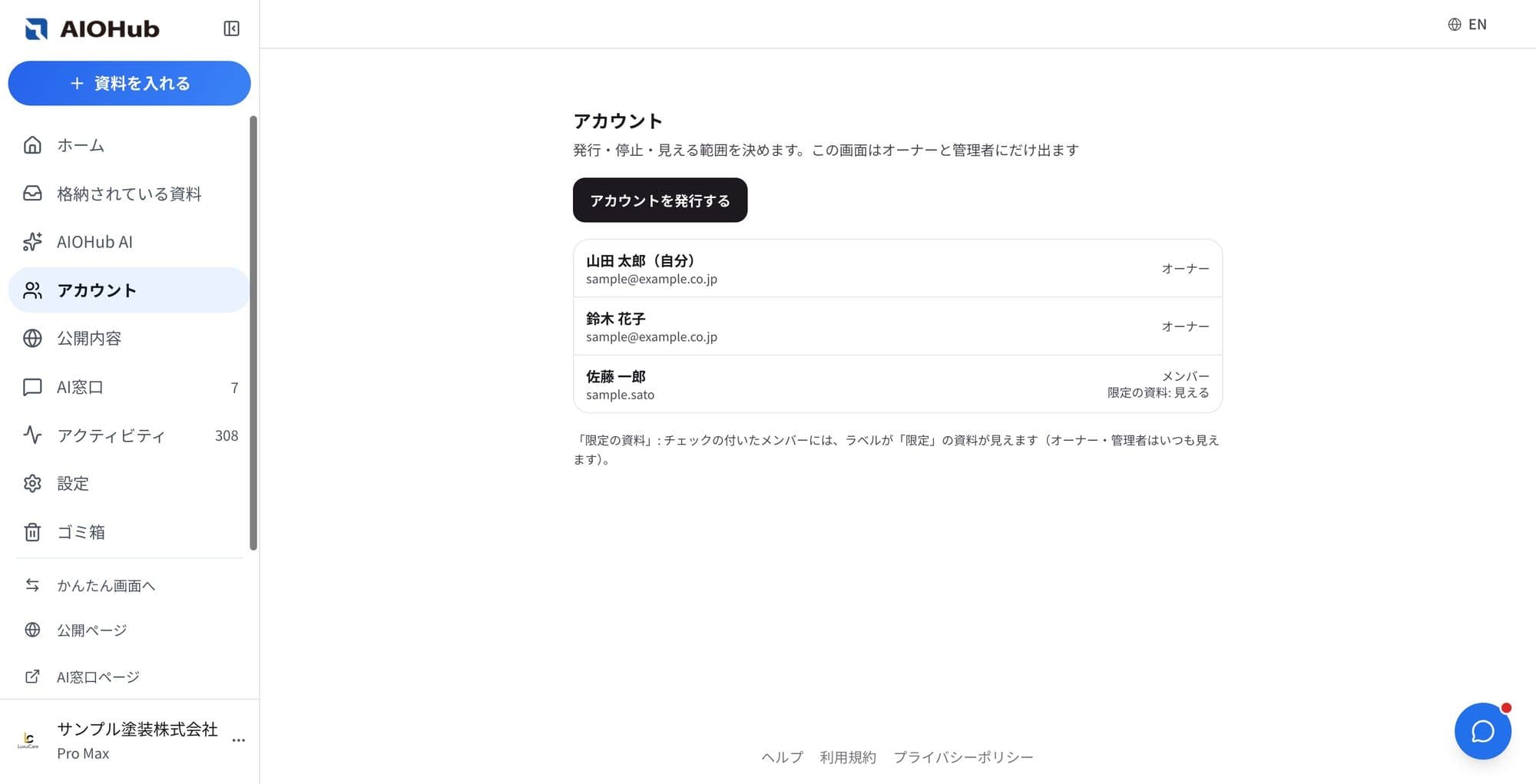
Admins issue employee accounts. No email address needed. The price doesn't change with headcount. Only owners and admins see this screen.
Steps
- 1
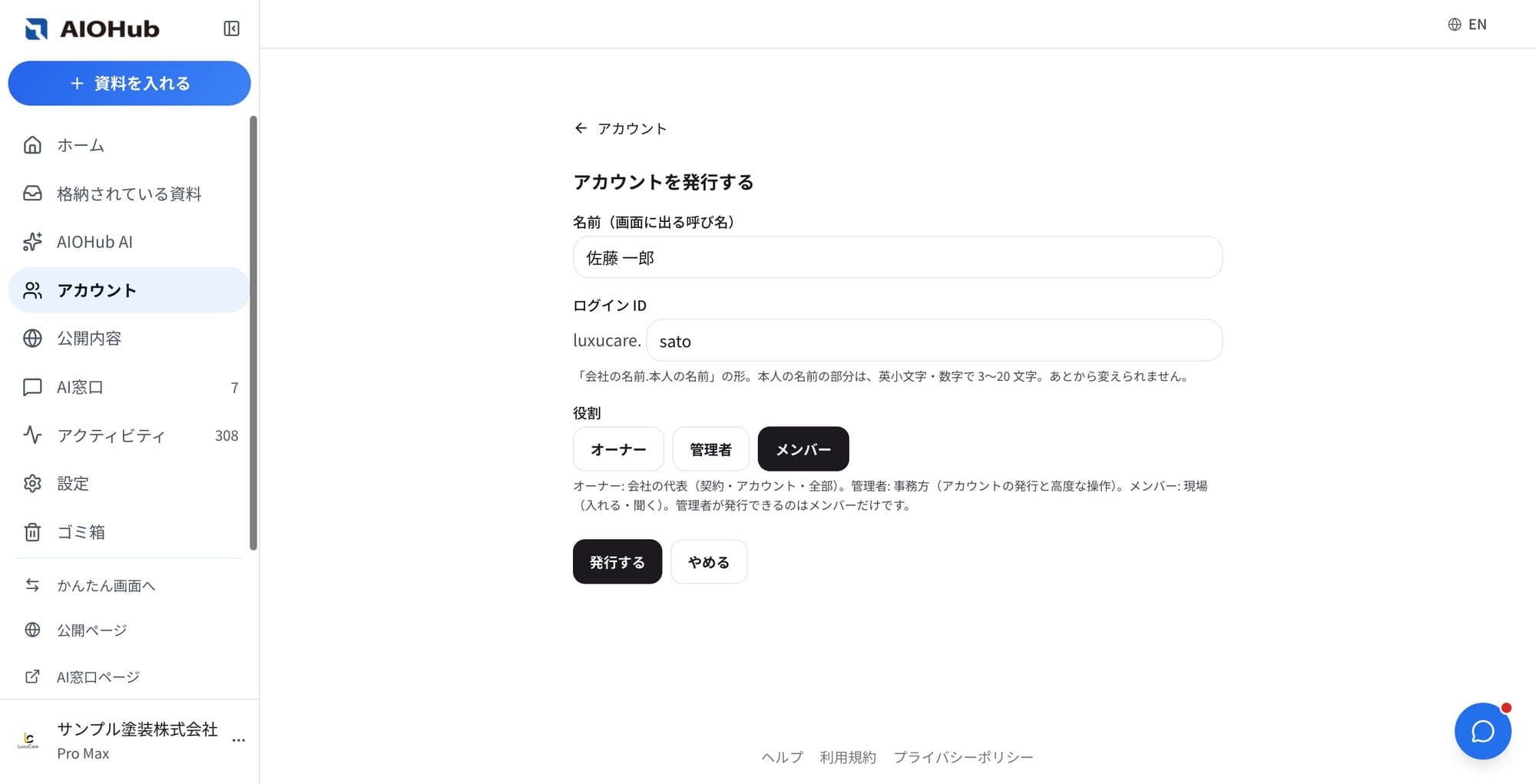
"Issue account" → Name (shown on screen), Login ID (company name.person; the person part is 3–20 lowercase letters/digits and can't be changed later), Role → "Issue".
- 2
The login ID and temporary password are shown once. "Copy" and hand them to the person directly (no email is sent). Once closed they can't be seen again. On first login the person agrees to the terms and sets a passkey or their own password.
- 3
"Reissue temporary password": for someone who forgot. A new temporary password appears; the old password stops working.
- 4
"Change role" (owners only): Owner / Admin / Member. Admins can issue members only. The last remaining owner can't demote or suspend themselves.
- 5
"Can see limited documents": checked members can see documents labeled Limited (owners and admins always can).
- 6
"Suspend"
the person can no longer log in. Their documents, notes and records remain. "Resume" restores anytime. While suspended, role, limited access and temporary password can't be changed.
Notes
- Login-ID accounts have no email address, so no email reaches them. Notices such as the end of the free period go to the owner (the email-address account).
Screens