Contents +
User Guide
Introduction (what AIOHub is)Admin
Admin login and the 6-digit code (Google Authenticator)Advanced homeStored documents and visibilityAccounts (issuing and suspending employees)AIOHub AIPublic content (subjects, chapters, articles, FAQs)Public page (share with one URL)AI desk (inquiries, conversation history, page settings)Activity (public-content gaps, edit history, effects)SettingsTrashWhen something goes wrongAsk
Ask in everyday words and get an answer with sources from the company's documents. If it isn't there, it says "not found". Answers are built only from documents the asker can see.
Steps
- 1
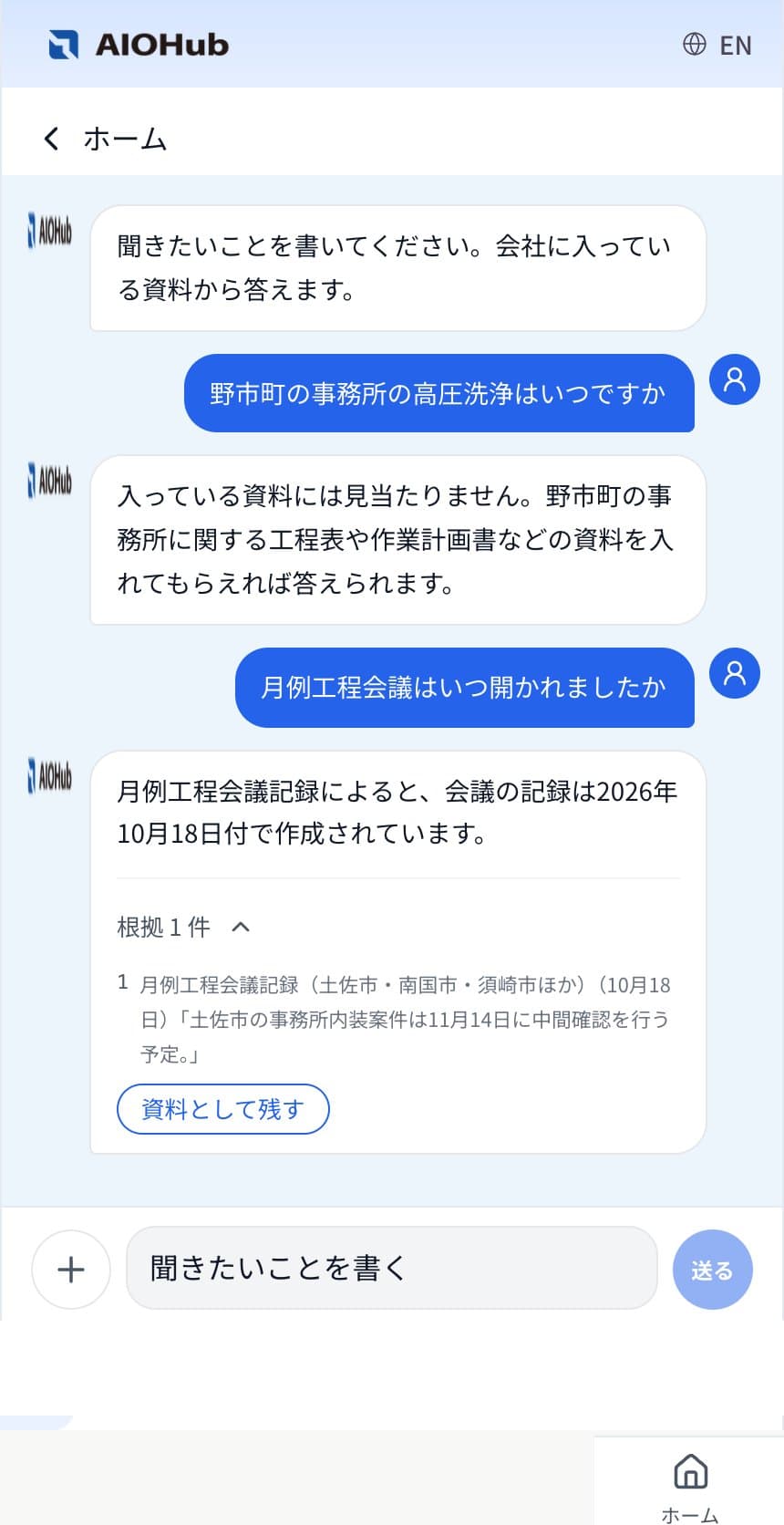
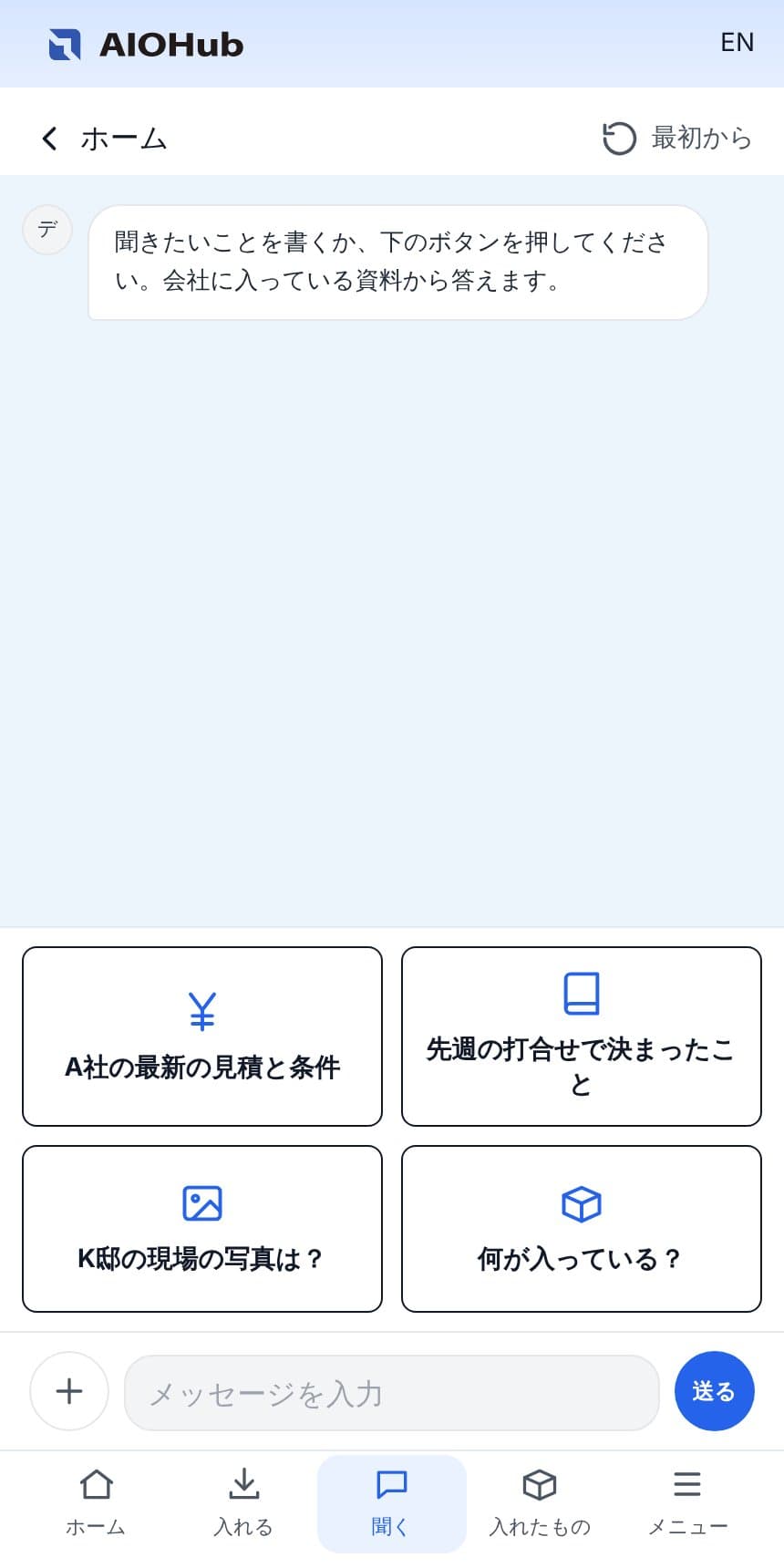
Type your question in the box and "Send". E.g. "When is the scaffolding for the K residence?" "Which restaurant was last year's party at?"
- 2
Open "Sources (N)" under an answer to see which document and line it came from (title, date, text used). No answer is given without a source.
- 3
Ask how an exchange went (e.g. "How did the drawing change with A Design go?") and the answer starts with where things stand now, followed by the messages one by one in the order they were put in, each with a Received or Sent tag and its date. Up to the newest 10 messages are listed; earlier ones are shown as a count. A message whose content cannot be shown here is listed without its content.
- 4
"Not found in stored documents": the information isn't in the company yet, or only in documents you can't see. Put in the related document and it can answer. These questions collect in the admin screen "Unanswered questions" as hints for what to add.
- 5
"+" attaches one document to your question (e.g. attach a quote and ask "What's the breakdown?"). Reading takes a moment. After the answer it asks "Keep in the company?": "Keep" (goes to "What I put in" and becomes a source) or "This time only" (used for this answer, then deleted).
- 6
The buttons shown at the start (Ask buttons) ask common questions in one tap. Owners and admins create them per company under Settings → Ask buttons. A "pick one document" button lets you choose a file and sends immediately.
- 7
"Keep as document" under a sourced answer saves that answer as a company document. It asks "How was this decided?" once (can be left empty). It appears in "What I put in" titled "From AIOHub's answer: …" and is marked as such in later answers.
- 8
It also takes reports and requests. Say "Company A's contact changed to Mr. Tanaka" and AIOHub shows a draft: "Keep this in company memory?" Edit and press "Keep"; only then is it stored. "Don't keep" stores nothing.
- 9
A request ("please update the quote template") from a member is kept as a proposal; from an owner or admin, as a company decision. Proposals appear on the admin home under "Needs attention" with "Decided" / "Decline".
Notes
- Conversations are kept per person for 90 days. Nobody sees another person's conversation. Admins can clear their own under Settings → "Clear Ask conversation".
- AI writes the sentence, but every answer carries its source document and date. If a conversation contradicts a document, both are shown with dates.
- If you see "This month's AI credits are used up" or "The free period has ended", tell an owner or admin (plans are under Settings in the admin section).
Screens